Lenovo ThinkVision T24i-30 Review: A Functional Office Monitor With a Few Trade-Offs
The Lenovo ThinkVision T24i-30 is a 23.8-inch Full HD monitor aimed squarely at office productivity. It sits in a crowded market of 1080p displays designed for spreadsheets, document editing, and video conferencing. After spending a few weeks using it as a secondary screen and then as a primary display for general work tasks, a few things stand out—both good and less so.
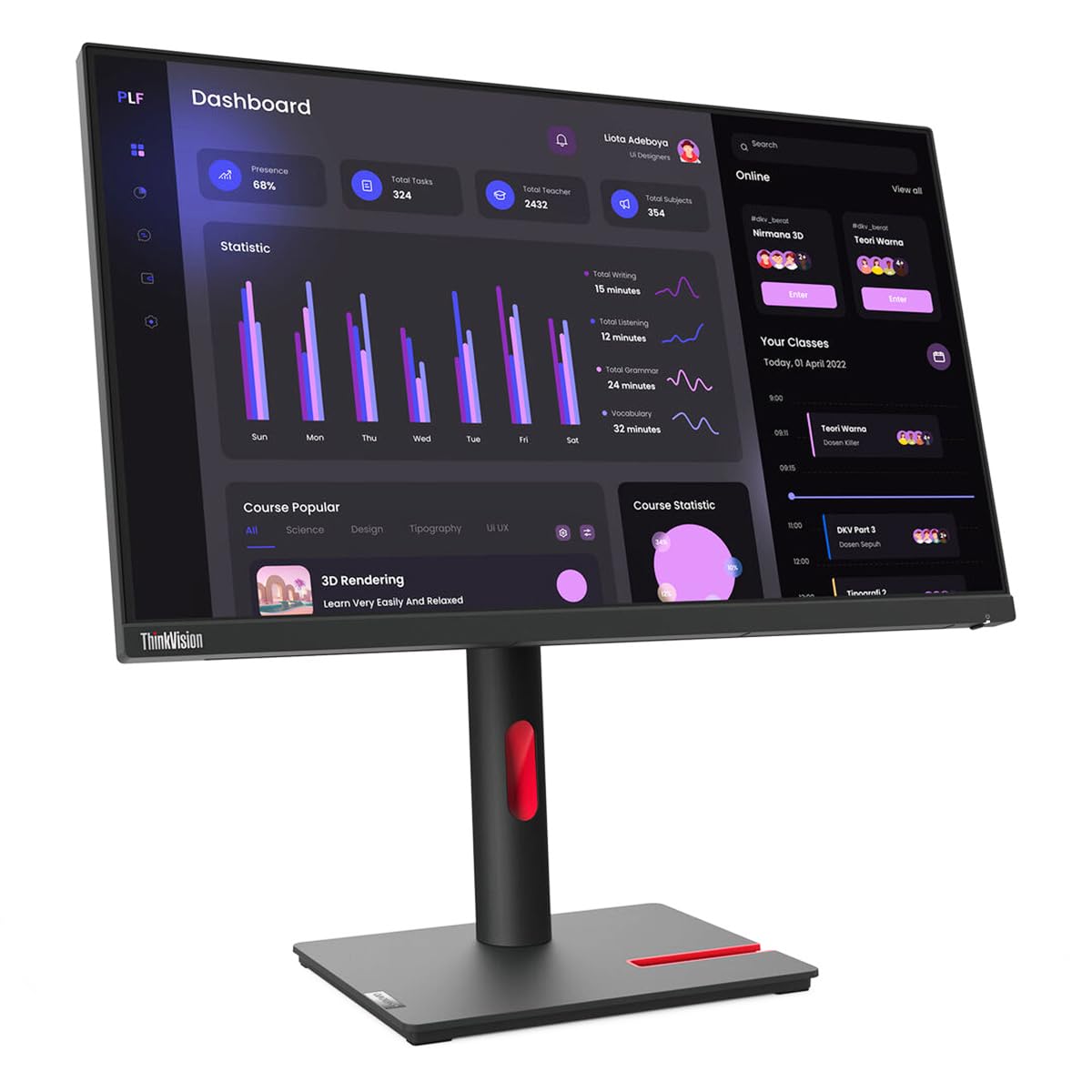
Out of the box, the monitor feels solid. The stand is sturdy and offers a full range of ergonomic adjustments: tilt, swivel, pivot, and height adjustment. This is a practical feature for anyone who spends long hours at a desk and needs to find a comfortable viewing angle. The bezels are reasonably thin on three sides, which helps if you plan to use it in a multi-monitor setup. However, the bottom bezel is thicker and houses the Lenovo logo and a few buttons, which is typical for this price range.
The panel is an IPS type, so viewing angles are wide. Colors look consistent from most positions, and there is no noticeable color shift when you move your head side to side. Brightness is adequate for indoor office lighting, but it is not exceptionally high. If you work near a window with direct sunlight, you might find yourself wishing for a bit more brightness. The anti-glare coating does a decent job of reducing reflections, but it is not a cure-all.
Connectivity includes HDMI, DisplayPort, and VGA, plus a USB hub with four USB 3.2 Gen 1 Type-A ports. The inclusion of VGA is a bit dated, but it might be useful if you are connecting to an older laptop or a legacy system. The USB hub is convenient for plugging in a mouse, keyboard, or a flash drive without reaching behind the computer. There is also a built-in power supply, which means no external power brick to hide away—a small but appreciated detail for desk cable management.
One limitation worth noting is the resolution. At 1080p on a 23.8-inch screen, pixel density is about 93 PPI. This is fine for text and typical office apps, but it is not ideal for tasks that require fine detail, such as photo editing or viewing high-resolution images. Text can appear slightly soft compared to a 1440p or 4K display of the same size. For pure productivity, it works well, but creative professionals may want more pixels.
Another trade-off is the lack of built-in speakers. Many office monitors include basic speakers adequate for system sounds or casual calls, but the T24i-30 does not. You will need external speakers or headphones. This is not a deal-breaker for many, but it is worth noting if you prefer an all-in-one solution. Also, the refresh rate is standard 60Hz, which is fine for office work but not suitable for fast-paced gaming.
In use, the monitor performs reliably. Colors are accurate enough for general use, but they are not factory-calibrated. You may notice a slight cool tint out of the box, which can be adjusted in the on-screen display menu. The OSD is controlled via physical buttons on the bottom edge, which are functional but a bit stiff to press. Navigating the menus is straightforward once you get used to the layout.
Compared to a typical consumer monitor in the same price bracket—such as a Dell S2421HN or an HP 24mh—the ThinkVision feels more business-oriented. The stand is better built, and the USB hub adds convenience. However, consumer monitors often include built-in speakers and sometimes higher contrast ratios. The ThinkVision’s strength is its ergonomic flexibility and build quality, while its weaknesses are the lack of speakers and the modest resolution.
Who is this monitor for? It is a good choice for office workers, students, or anyone who needs a reliable, adjustable screen for daily productivity tasks. It also works well in a multi-monitor setup thanks to its thin bezels and consistent color reproduction. It is less suitable for creative professionals who need high resolution or color accuracy, or for gamers who want high refresh rates. If you value ergonomic adjustments and a USB hub over built-in speakers and higher pixel density, the T24i-30 is a solid option. If those trade-offs matter to you, consider a different model.